


SwilERP · Mobile

Native apps for counter, warehouse & analytics

SwilPOS, SwilSort, and SwilBA sync with your live SwilERP data—on-premise or cloud. Same users and masters as desktop & web; App Store, Google Play, and tablets built for lanes and the floor.

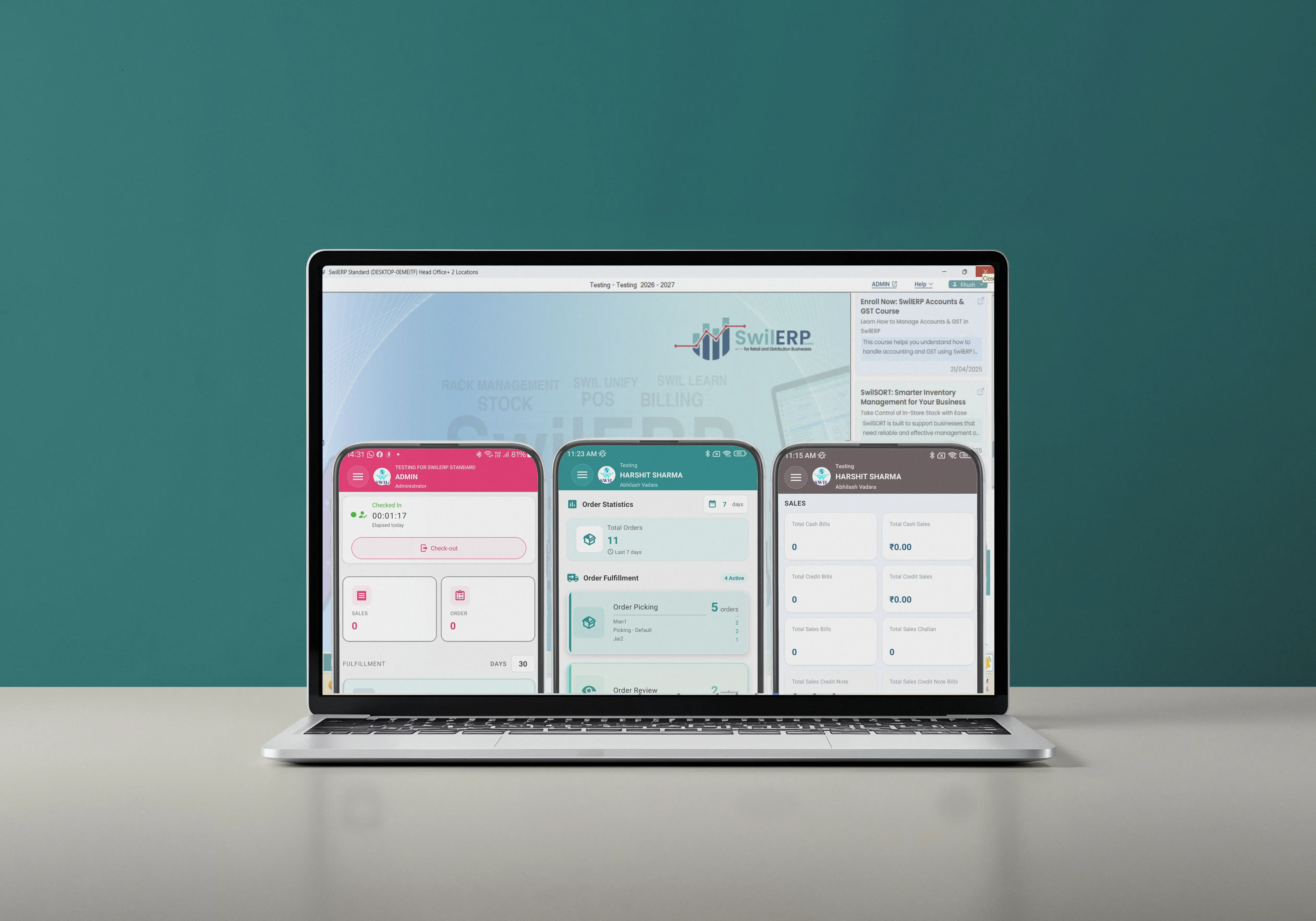
SWIL mobile app suite shown on a laptop display

35,000+India & Nepal · Retail & wholesale

Town MartShree Krishna SupermarketSWIL retail clientSWIL retail clientSWIL retail clientSWIL retail clientSWIL retail clientSWIL retail clientSWIL retail clientSasta SunderSakhi JaipurRoop JiRamaNutechKanahiya LifeCareSWIL retail clientSWIL retail clientGrah ShobhaAscentisAnandi Enterprises

Apps & pricing

SwilPOS, SwilSort & SwilBA — same ERP, native on iOS & Android.

Compare per-user pricing, jump to each app’s store listing, and see what you need on the server before you roll out — all without a separate mobile data model.

SwilPOSComprehensive POS Billing app

  • Salesman
  • Delivery Boy
  • Tablet POS
  • Mobile POS
  • Storefront
  • Restaurant

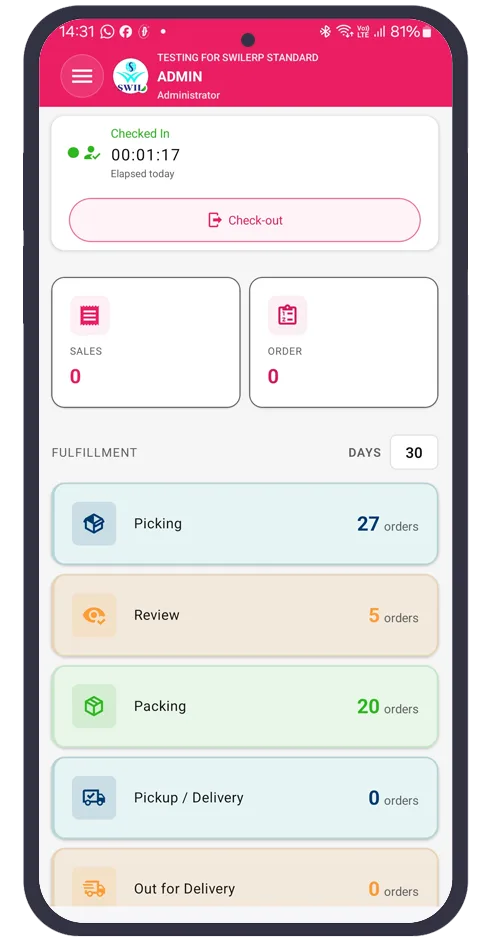
Salesman App for on-the-go order management

2x Faster Billing

Barcode scanning capabilities

2x More Selling

Track Orders

Save time & eliminate errors

Dashboard access with graphical view

Better Customer Management

All capabilities+8
  • Generate sales orders
  • Invoicing process
  • Manage sales challan
  • Record receipt entries
  • Manage customer profiles
  • Generate purchase orders
  • Outstanding report feature
  • Batch-wise working
2x Faster Billing2x More SellingSave time & eliminate errorsBetter Customer Management95% Growth in Revenue

Download

iPhone, iPad, iPadOS · Android

Next step

SwilPOS, SwilSort, and SwilBA sync with your live SwilERP data—on-premise or cloud. Same users and masters as desktop & web; App Store, Google Play, and tablets built for lanes and the floor.

Start free trial

Rollout · Mobile readiness

Shared login & pre-requisites

Same SwilERP screens on web and desktop, one seat-level login model, then the four checks below before you enable mobile apps for your team.

Web & desktop

Web browserDesktop application

Shared login

Web and desktop app are the same interface. One login per desktop/web at base level. Shared login across devices.

  • Same SwilERP screens in the browser and on desktop
  • One login per desktop / web seat at base level
  • Enable the same user on iOS & Android from the admin panel

Before you enable mobile

Pre-requisites of using SWIL Mobile Solution with SwilERP Desktop & Web

Server version, SwilERP build, CRM email, and admin access must all line up before users can sign in on mobile.

  1. 1SQL Server 2016 & above versions
  2. 2SwilERP version 3.2.14.08 & above
  3. 3Use SwilERP user's registered email on the CRM portal
  4. 4Login to Admin panel (Swilerp.com) & grant mobile app access to user

Architecture · Mobile extensions

Built for how you deploy — and how your teams work

No duplicate data model: mobile is an extension of SwilERP, not a side app. Same hosting choices, same Apple and Android footprint as your rollout plan.

  • Same ERP database — on-premise or cloud

    SwilPOS, SwilSort, and SwilBA talk to the same SwilERP data you already trust. Run the server in your office or use SwilERP Web in the cloud: mobile users see live stock, orders, and customers without a separate “shadow” system.

  • One team, one login model

    Web and desktop share the same SwilERP interface. Mobile apps use your existing user records; admins enable app access per role. That keeps counters, warehouses, and owners aligned without juggling extra passwords or duplicate masters.

  • iPhone, iPad, Android — built for counters and the floor

    Install from the App Store (iOS & iPadOS) or Google Play (phones and tablets). Use larger screens for POS lanes and GRN desks; phones for delivery and quick approvals — all against the same branch and company context.

Ready to extend SwilERP to the field?

Add SwilPOS, SwilSort, and SwilBA — App Store, Google Play, same data and users as desktop & web. Book a walkthrough or review SwilERP first.

  • Pricing: setup + per user / month or year
  • Works with on-premise & cloud
  • iOS, iPadOS & Android